Generation of Computer

Each generation of computer is characterized by a major technological development that fundamentally changed the way computers operate, resulting in increasingly smaller, cheaper, more powerful and more efficient and reliable devices.

The iPad is one of the hottest gadgets of 2010

The iPad essentially revolutionises the concept of a tablet computer. Previously tablet devices addressed a legitimate consumer need (casual, lazy, couch-bound computing), but left most people frustrated with a stylus-driven handwriting recognition system and an operating system that was really designed to be used on a desktop PC.

The Technology of Mobile Phone

Mobile phones also support a wide variety of other services such as text messaging, MMS, email, Internet access, short-range wireless communications (infrared, Bluetooth), business applications, gaming and photography. Mobile phones that offer these more general computing capabilities are referred to as smartphones.

The Technology of Internet

The Internet is a global system of interconnected computer networks that use the standard Internet Protocol Suite (TCP/IP) to serve billions of users worldwide.

The Categories of Software

Software is often divided into application software (programs that do work users are directly interested in) and system software.

Internet Communication


Various form of communication on the internet


1) E-Mailing


- A system for sending and receiving messages electronically over a computer network, as between personal computers.

- A message or messages sent or received by such a system.

- E-Mail is a method of exchanging digital messages from an author to one or more recipients.

- Modern email operates across the Internet or other computer networks. Some early email systems required that the author and the recipient both be online at the same time, in common with instant messaging.

- Today's email systems are based on a store-and-forward model. Email servers accept, forward, deliver and store messages. Neither the users nor their computers are required to be online simultaneously; they need connect only briefly, typically to an email server, for as long as it takes to send or receive messages.


2) Chatting
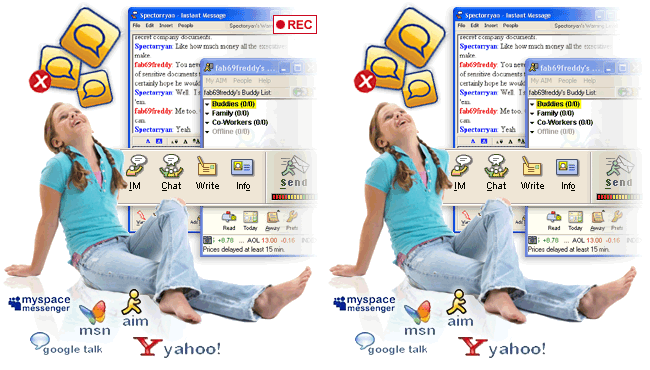


- Internet chatting involves real-time instant text messaging between two or more users in chat rooms. They are many different types of Internet chats all with different purposes.

- Internet chatting has its advantages and disadvantages; therefore it is important to understand them so that you do not fall victim to predators who would seek to harm you.

- Once a chat has been initiated, either user can enter text by typing on the keyboard and the entered text will appear on the other user's monitor. Most networks and online services offer a chat feature. Example IRC and facebook.

- Internet chat rooms allow you to communicate with different kinds of people from all over the world. They allow you to meet different kinds of people who share similar interests, goals, hobbies and desires.

- Internet chats can also be a great learning center ( e.g. chatting forums) where people can ask questions and receive answers on products and services, computer troubleshooting and more.


3) Video Conference


- A videoconference or video conference (also known as a videoteleconference) is a set of interactive telecommunication technologies which allow two or more locations to interact via two-way video and audio transmissions simultaneously. It has also been called 'visual collaboration' and is a type of groupware.


-Videoconferencing differs from videophone calls in that it's designed to serve a conference rather than individuals. It is an intermediate form of videotelephony, first deployed commercially by AT&T during the early 1970s using their Picturephone technology.


4) Net Meeting


- A product developed by Microsoft Corporation that enables groups to teleconference using the Internet as the transmission medium.

- NetMeeting was bundled as part of Windows and included point-to-point telephony and video calling capability over the Internet as well as multipoint whiteboard and application sharing.

- NetMeeting supports VoIP, chat sessions, a whiteboard, and application sharing. It's built into Microsoft's Internet Explorer Web browser.

- The advent of instant messaging (IM) and other alternatives for online, real-time communication contributed to its demise. Microsoft announced a replacement online meeting service called Office Live Meeting, formerly from PlaceWare, a company Microsoft acquired in 2003.


5) Newsgroup


- A newsgroup is a discussion about a particular subject consisting of notes written to a central Internet site and redistributed through Usenet, a worldwide network of news discussion groups. Usenet uses the Network News Transfer Protocol (NNTP).


- Newsgroups are organized into subject hierarchies, with the first few letters of the newsgroup.


- Discussion group on the Internet as well as a source for MP3 files and images.


- Newsgroups make up the Usenet (user network), which preceded the Web by more than a decade.


- Starting in the late 1970s, newsgroups were message boards for Unix technical issues. However, they continue to prosper alongside Web-based discussion groups called "forums" (see Internet forum).


- Although a topic can be newsworthy, newsgroups have nothing to do with the daily news. Organized into categories, alt (alternative) contains the most diversity (see newsgroup categories).


6) Forum


- An Internet forum, or message board, is an online discussion site where people can hold conversations in the form of posted messages. The forum is the place for people to virtually meet online where they can post messages and respond to each other. These usually are set up to discuss a specific topic (ie. children, computing, HTML).


- They differ from chat rooms in that messages are at least temporarily archived. Also, depending on the access level of a user or the forum set-up, a posted message might need to be approved by a moderator before it becomes visible.


- Forums have a specific set of jargon associated with them; e.g. a single conversation is called a "thread."


- A forum is hierarchical or tree-like in structure: a forum can contain a number of subforums, each of which may have several topics. Within a forum's topic, each new discussion started is called a thread, and can be replied to by as many people as wish to.


- Depending on the forum's settings, users can be anonymous or have to register with the forum and then subsequently log in in order to post messages. On most forums, users do not have to log in to read existing messages.


Peripherals used for communication are :


1) Web Camera

2) Microphone


3) Earphone


Netiquette


Definition of Netiquette


- Netiquette (short for "network etiquette" or "Internet etiquette") is a set of social conventions that facilitate interaction over networks, ranging from Usenet and mailing lists to blogs and forums


- Netiquette, or net etiquette, refers to etiquette on the Internet. Good netiquette involves respecting others' privacy and not doing anything online that will annoy or frustrate other people.


- Three areas where good netiquette is highly stressed are e-mail, online chat, and newsgroups. For example, people that spam other users with unwanted e-mails or flood them with messages have very bad netiquette.


- You don't want to be one of those people. If you're new to a newsgroup or online chat room, it may help to observe how people communicate with each other before jumping in.


Internet Applications


Definition of World Wide Web (WWW)


- The World Wide Web or the Web consists of a worldwide collection of wlectronic documents.

- Each electronic document on the Web is called a web page which can contain text, graphics, audio and video.

- These pages are written in Hypertext Markup Language (HTML).

- Every website has an address or Uniform Resource Locator (URL). The URL is formed by the protocol, domain, directory and the document name.


Web Browsers available


1) Internet Explorer
2) Netscape Navigator
3) Opera
4) Safari
5) Modzilla


Search engine


- Search engines are special websites on the Internet to help you find information you need.

- Search engines are the most popular tool on the internet that people use to find the information they require.

- They are also used by companies to bring in qualified traffic; as a result it is important to know how you can improve your ranking in these search results.

- Search engines score web sites on various factors that they consider to be the most important to get the most relevant results to users.


- Example of search engines are:


1) Yahoo (www.yahoo.com)

2) Google (www.google.com)

3) AltaVista (www.altavista.com)

4) Hot Bot (www.hotbot.com)


Internet Requirements


List of requirements needed to access the internet


  1. Modem (Internal and external)

external modem


internal modem


A modem (modulator-demodulator) is a device that modulates an analog carrier signal to encode digital information, and also demodulates such a carrier signal to decode the transmitted information.


  1. Access account
example of internet access provider

- Each Internet computer, called a host, is independent.

- Its operators can choose which Internet services to use and which local services to make available to the global Internet community.

- Remarkably, this anarchy by design works exceedingly well. There are a variety of ways to access the Internet.

- Most online services, such as TMNet offer access to some Internet services. It is also possible to gain access through a commercial Internet Service Provider (ISP).


  1. Network Interface Card (NIC)


- Often abbreviated as NIC, an expansion board you insert into a computer so the computer can be connected to a network.

- Most NICs are designed for a particular type of network, protocol, and media, although some can serve multiple networks.


  1. Wireless network interface card


- An expansion board you insert into a computer so the computer can be connected to a network.

- Most NICs are designed for a particular type of network, protocol, and media, although some can serve multiple networks.


  1. Hub/Swicth


- Hub or switch is a common connection point for devices in a network. Hubs are commonly used to connect segments of a LAN.

- A hub is the central part of a wheel where the spokes come together. The term is familiar to frequent fliers who travel through airport "hubs" to make connecting flights from one point to another.

- In data communications, a hub is a place of convergence where data arrives from one or more directions and is forwarded out in one or more other directions.

- A hub usually includes a switch of some kind. (And a product that is called a "switch" could usually be considered a hub as well.)

- The distinction seems to be that the hub is the place where data comes together and the switch is what determines how and where data is forwarded from the place where data comes together. Regarded in its switching aspects, a hub can also include a router.


  1. Router

- A router is a communications device that connects multiple computers or other routers together and transmits data to the correct destination.

- A Router is a device that connects two networks - frequently over large distances. It understands one or more network protocols, such as IP or IPX. A Router accepts packets on at least two network interfaces, and forwards packets from one interface to another.

- Router's may be programmed to filter out some packets, and to dynamically change the route by which packets are routed.

- Router's often use different media on each interface. For instance, a router might have one Ethernet port and one ISDN port.


  1. Wireless access point


- Wireless access points (APs or WAPs) are specially configured nodes on wireless local area networks (WLANs). Access points act as a central transmitter and receiver of WLAN radio signals.

- Access points used in home or small business networks are generally small, dedicated hardware devices featuring a built-in network adapter, antenna, and radio transmitter. Access points support Wi-Fi wireless communication standards.


Related Posts Plugin for WordPress, Blogger...