


 main component of computer
1. Monitor :

The monitor or screen is a visual display unit, often called simply a monitor or display, is a piece of electrical equipment which displays images generated from the video output of devices such as computers, without producing permanent record.
2. Keyboard :

- The keyboard is used to type text and numbers into a word processor, text editor or other program.
- In a modern computer, the interpretation of key presses is generally left to the software.
- A computer keyboard distinguishes each physical key from every other and reports all key presses to the controlling software.
- Keyboards are also used for computer gaming, either with regular keyboards or by using keyboards with special gaming features, which can expedite frequently used keystroke combinations.
- A keyboard is also used to give commands to the operating system of a computer, such as Windows' Control-Alt-Delete combination, which brings up a task window or shuts down the machine. It is the only way to enter commands on a command-line interface.
3. Speaker

- The computer speaker is an output device which gives the user auditory feedback regarding the state of the computer.
- This can be as sophisticated as a 8-channel surround-sound system for playing movies and the like, or as basic as the integrated "beeper speaker" whos only role is indicate critical errors in the boot sequence when video output is not available.
4. Mouse

- This piece of computer hardware connects to your computer to help you control cursor movement and pointing ability on the PC screen.
- A computer mouse makes navigation simple by allowing you to freely move your cursor around your screen. This allows you to perform functions of your computer with ease. Mice are known for the ease they give point and click navigation.
5. System unit

- System Unit or Central Processing Unit (CPU) performs the actual processing of data.
- The data it processes is obtained via the system bus, from the main memory. The results from the CPU are then sent back to main memory via the system bus.
- The CPU also controls and co-ordinates the operation of the other major components. CPU’s use in their operation: Fetch, decode, execute, and writeback.
6. Printer
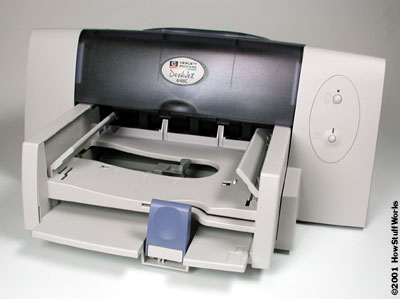
- A printer is a peripheral which produces a text and/or graphics of documents stored in electronic form, usually on physical print media such as paper or transparencies.


